 Zoho CRM Implementation
 Zoho One Consulting
 Zoho Books Setup
 Zoho Analytics & BI
 Data Migration Services
 Zoho Desk Automation
 Zoho Creator Development
 Zoho Automation Services
 Zoho Widget Development
 Zoho Extension Development
 Deluge Development
 Zoho Integration Services
 Zoho API Integration
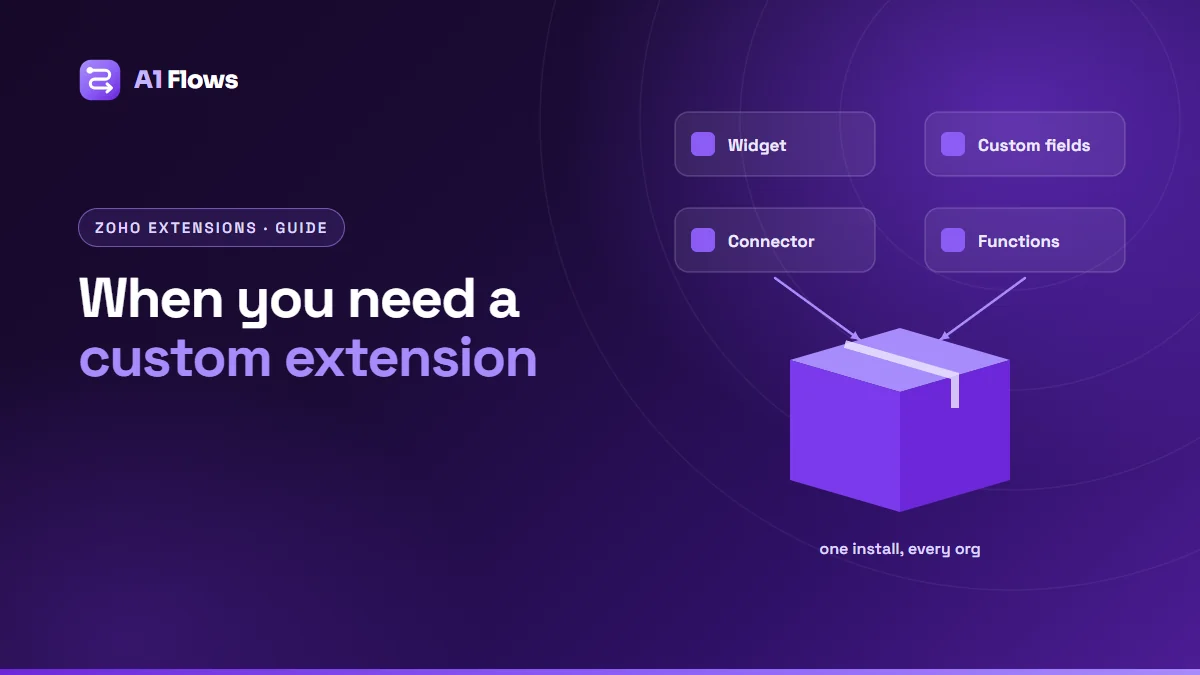
A custom Zoho extension is a packaged, installable add-on for a Zoho app – most often Zoho CRM – that bundles everything a feature needs: interface widgets, custom fields and modules, automations, settings and connections to other services. A business needs one when the same solution has to exist in more than one place, be upgraded cleanly, or be installed by people who will never see how it was built.
This guide explains what extensions are, how they differ from widgets and one-off customisation, when a business genuinely needs one, and what building one involves.
In this guide
- What is a Zoho extension?
- Widget, customisation or extension?
- What extensions are used for
- Who needs a custom extension
- What an extension can contain
- How an extension is built and released
- Best practices and common mistakes
- Frequently asked questions
What is a Zoho extension?
Most Zoho customisation is done directly in one organisation: an admin adds fields, writes a workflow rule, uploads a widget. That works until the same setup is needed somewhere else, or needs to be updated in many places at once. An extension packages that customisation into a single installable unit with a version number.
Extensions are distributed in two ways: privately, to specific Zoho organisations you choose, or publicly, through the Zoho Marketplace, where any Zoho customer can find and install them after Zoho’s review.
Widget, customisation or extension?
| Direct customisation | Widget | Extension | |
|---|---|---|---|
| What it is | Settings and code in one org | One embedded interface | A versioned package of many parts |
| Installed in | The org where it is built | One org, or inside an extension | Any org you distribute it to |
| Upgrades | Changed by hand | Re-uploaded | New version installed |
| Best for | One company’s own setup | Adding a screen to CRM | Reusing a solution across orgs |
If your solution only ever needs to exist in one Zoho organisation, direct customisation – perhaps with a widget, as in our widget tutorial – is usually simpler and cheaper. Packaging is worth its extra effort when reuse or clean upgrades matter.
What extensions are used for
- Integrating a third-party service with Zoho CRM, packaged so any customer can install it.
- Adding a capability Zoho does not have, such as a structured document workflow or a specialised calculation.
- Standardising a company’s setup across several Zoho organisations – subsidiaries, regions or brands.
- Turning repeated client work into a product that a consultancy can install for each client.
Our own WorkDrive In Zoho CRM is an example: it gives every CRM record its own WorkDrive folder, packaged so any organisation can install it.
Who needs a custom extension
Companies running several Zoho organisations
Without an extension, every improvement is configured by hand in each org, and they slowly drift apart. With one, the same version is installed everywhere and upgraded together.
Software vendors whose customers use Zoho
A Marketplace listing puts your integration where Zoho customers already look, installable without a developer on their side.
Zoho partners and consultancies
Teams that build similar tooling for many clients can turn it into an installable product with settings each client adjusts themselves.
Businesses that need clean upgrades
Even within one org, a packaged, versioned solution is easier to update safely than a collection of separately edited settings and scripts.
What an extension can contain
The components available depend on the target Zoho product. For Zoho CRM, an extension can typically include:
- Widgets – the interface users see, on records, behind buttons or as tabs.
- Custom fields, modules and related lists – created automatically on install.
- Workflow rules and custom functions – the automation behind the feature.
- Connectors – authentication to external services, so each installing organisation connects its own account.
- A settings page – where the installing admin enters keys, picks options and maps fields to their own setup.
How an extension is built and released
- Scope the package. Decide what is fixed inside the extension and what each installer configures. This is the most important design decision.
- Design for the installer. Assume a different org with different field names, permissions and expectations. Plan sensible defaults and a settings screen that explains itself.
- Build the components – widgets with the Zoho Extension Toolkit, and the fields, automations and connectors in Zoho’s developer tools.
- Test across fresh organisations on different editions, not only the one it was built in.
- Release privately or submit to the Marketplace. Public listings go through Zoho’s review before they appear.
- Maintain it. Plan versions so upgrades do not break existing data, and keep up with Zoho platform changes.
Best practices and common mistakes
- Do not hard-code one org’s setup. Field names, picklist values and users differ in every installation – make them settings.
- Fail with a clear message. When a setting is missing or a connection has expired, tell the admin what to fix.
- Keep credentials out of the package. Each installer authorises their own connections.
- Version deliberately. An upgrade that renames a field can strand existing data.
- Plan ownership. An unmaintained public extension collects bad reviews quickly; decide who maintains it before you publish.
Frequently asked questions
Do I have to publish my extension on the Zoho Marketplace?
No. Extensions can be distributed privately to specific organisations. The Marketplace is only needed if you want any Zoho customer to be able to find and install it.
Does Zoho review Marketplace extensions?
Yes. Public extensions go through Zoho’s review before they are listed, so allow time for it in any launch plan.
Can an existing customisation be turned into an extension?
Often, yes. The work is mostly in separating what should be fixed from what should become a setting, and testing it in organisations other than the one it was built in.
Which Zoho apps support extensions?
Zoho CRM has the most extensive support, and several other Zoho apps support extensions too. The available components differ by product.
Can an extension connect to our own software?
Yes. Connectors handle authentication to external services, and widgets or functions can call your APIs.
What affects the cost of building an extension?
The number of components, whether it connects to external services, how configurable it must be for different installers, and whether it is going to the public Marketplace – public extensions cost more mainly because they must work in organisations you will never see.
Who maintains an extension after release?
Whoever you agree. Someone has to handle Zoho platform changes and ship fixes; decide whether that is your team or your developer before release.
Deciding whether you need one
If your solution lives in one Zoho organisation and changes rarely, customise directly. If it needs to be installed in several places, upgraded cleanly, or offered to other Zoho customers, package it as an extension.
For help designing and building one, see our Zoho extension development service and widget development service.